Invoice intake for small AP teams
Know what’s due at a glance.
APWrangler reads vendor invoices that arrive by email or phone photo, holds each one for your review, and keeps a running list of what is due and when. It is made for small AP teams that do not need an enterprise system.
14 days and 10 invoices free. No card needed.
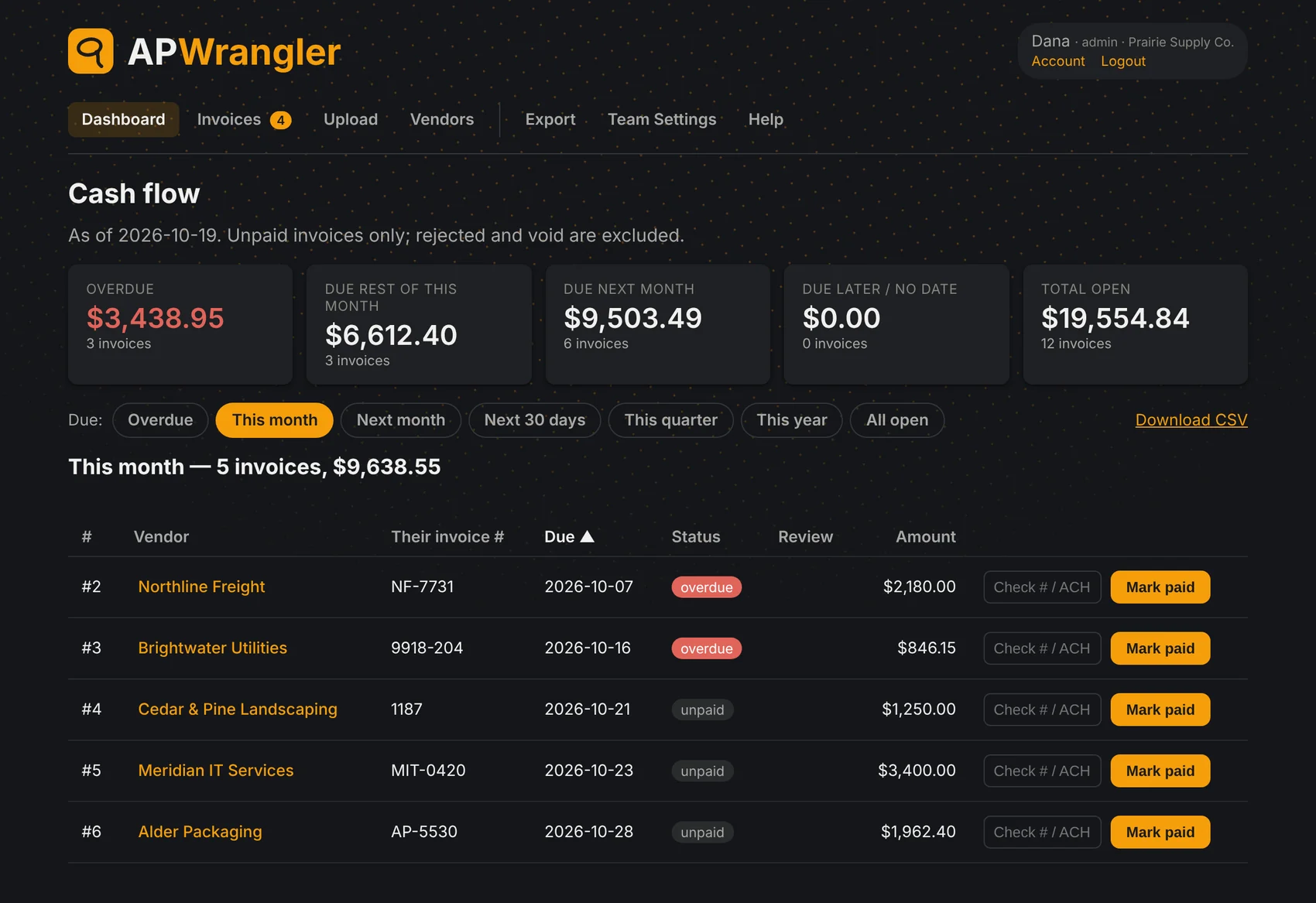
Sample data. Your dashboard lists your own vendors, due dates and amounts. Scroll the picture sideways to see all of it.
How it works
From invoice to due date in three steps.
Send it in
Photograph a paper invoice with your phone, upload a PDF, or email it to your APWrangler address. Whichever way it arrives, the original file is kept with the record.
Check what was read
The vendor, invoice number, dates, terms and amount are filled in for you. Admins and reviewers check them on the spot and save, which approves the invoice. Anything that arrives by email, or from a team member who is not a reviewer, waits in the review list. Duplicates are caught by vendor and invoice number.
Pay on time
Approved invoices sort by due date, so you see what is late and what is coming. Mark an invoice paid with a check number or ACH reference.
What is in it
The parts a small team uses every week.
Invoices by email
Forward a PDF or image from a team member's address and it lands in the review list, with a confirmation back to the sender.
Phone scan
Take a photo of a paper invoice. The picture stays beside the form while you check the fields.
Vendor terms that carry over
Set a vendor's usual terms, or let the app learn them from approved invoices. A missing due date is filled from them. With no terms anywhere, the invoice is saved as due on receipt.
Review and approval
Submitters, reviewers and admins each see what they need. Reviewers approve or reject with a note, and every invoice keeps its history.
A cash flow view
Overdue, due this month, due next month and total open, with filters by period and a list you can sort.
Exports
Download a CSV of what is due, or a zip of the invoice files, for your accounting system or your auditor.
Your data stays yours
Each company's invoices are kept apart from every other company's. Sign in with Google or with email and a password.
Nothing to install
It runs in the browser on a computer or a phone, so there is no software to maintain.
Who it is for
Small teams with real invoices and no budget for a big system.
If a spreadsheet and an overflowing inbox are how bills get tracked today, this is the step up.
- A team of one to a handful of people handling vendor bills.
- Invoices arrive by email, by mail, or as photos on someone's phone.
- You want due dates, a clear record and a simple export, not an enterprise rollout.
Pricing
Simple monthly plans. Start free.
Every plan has everything in the app. You choose how many invoices and how many people.
Solo
- 10 invoices a month
- 1 person
Starter
- 25 invoices a month
- 1 person
Small
- 50 invoices a month
- 2 people
Team
- 150 invoices a month
- 5 people
Plus
- 300 invoices a month
- 10 people
Prices are in US dollars per month. An invoice counts toward your limit when it is added, and the count starts over each month. If you reach a limit you can still view and export everything, and a larger plan lifts it. When your trial ends, you pick a plan from the Billing page in the app. Cancel any time: your plan stays active until the end of the month you have paid for.
Try it with your own invoices.
Start a free trial and load a few real invoices. It takes a few minutes, and you do not need a card.
Questions first? Write to us.
Or write to [email protected] from any email account.